After PodSecurityPolicy: What Kubernetes PSA Actually Enforces — and Where Helm Charts Still Leave You Exposed
PSA's Restricted profile catches key pod hardening gaps, but only when namespaces are labeled. Sampled Helm charts still skip seccompProfile and privilege escalation controls.
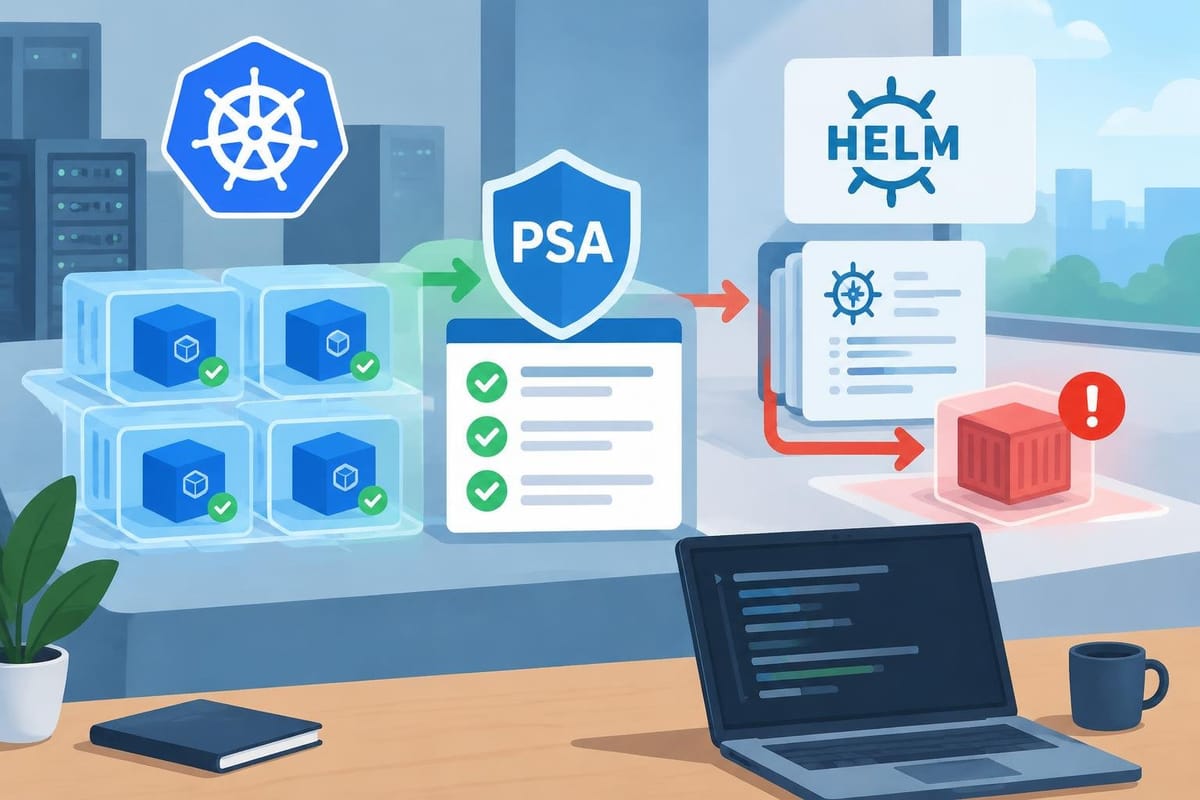
A container running as root with allowPrivilegeEscalation: true and no capability drops occupies the same kernel as every other workload on the node. If that container is compromised, an attacker lands with enough leverage to attempt container escapes or move laterally using the node's service account credentials. The question after Kubernetes 1.25 removed PodSecurityPolicy is straightforward: does the replacement actually close that exposure, or did the migration leave gaps that common chart configurations still don't fill?
The answer, based on the official Pod Security Standards documentation and a sampled set of Helm chart defaults: PSA closes some of it, misses a meaningful slice, and sampled charts regularly skip even the fields that PSA would catch.
What PSA replaced — and what it isn't
PodSecurityPolicy was deprecated in Kubernetes v1.21 and removed in v1.25. Its replacement, the built-in Pod Security Admission (PSA) controller, has been stable since Kubernetes v1.25. It operates at the namespace level using labels, applying one of three profiles defined by the Pod Security Standards:
| Profile | Intent |
|---|---|
privileged |
Fully unrestricted; intended for trusted infrastructure workloads |
baseline |
Blocks known privilege escalation vectors; allows minimal default pod config |
restricted |
Enforces current pod hardening best practices; most restrictive |
Namespace operators apply PSA with labels:
apiVersion: v1
kind: Namespace
metadata:
  name: production
  labels:
    pod-security.kubernetes.io/enforce: restricted
    pod-security.kubernetes.io/enforce-version: v1.37
    pod-security.kubernetes.io/warn: restricted
    pod-security.kubernetes.io/audit: restricted
Three modes are available per profile level: enforce (pod rejected on violation), audit (violation logged but pod admitted), and warn (user-facing warning only). Critically, the official PSA documentation notes that enforce mode is not applied to workload resources like Deployments or Jobs — only to the resulting Pod objects. This means kubectl apply on a Deployment can succeed silently even if the pods it would create would be rejected, until the ReplicaSet controller actually attempts to create them. Teams running only warn or audit mode may never see the rejection at apply time.
What the Restricted profile actually checks, field by field
The Restricted profile encompasses everything in Baseline plus an additional set of controls. Here is what it enforces, sourced from the Pod Security Standards specification:
From the Baseline layer (enforced by Restricted too)
- Host namespaces:
spec.hostNetwork,spec.hostPID,spec.hostIPCmust befalseor unset. - Privileged containers:
securityContext.privilegedmust befalseor unset across containers, initContainers, and ephemeralContainers. - Capabilities:
securityContext.capabilities.addis restricted to a fixed allowlist:AUDIT_WRITE,CHOWN,DAC_OVERRIDE,FOWNER,FSETID,KILL,MKNOD,NET_BIND_SERVICE,SETFCAP,SETGID,SETPCAP,SETUID,SYS_CHROOT. Any capability outside this list causes rejection. - HostPath volumes: Forbidden entirely.
- Host ports: Disallowed or restricted to a known list.
- AppArmor: The
RuntimeDefaultprofile is applied by default on supported hosts; the policy prevents overriding or disabling it except tolocalhost/*profiles. - SELinux: Setting custom SELinux types, users, or roles is restricted.
Added by the Restricted layer
- Volume types: Only
configMap,csi,downwardAPI,emptyDir,ephemeral,persistentVolumeClaim,projected, andsecretare allowed. - Privilege escalation:
securityContext.allowPrivilegeEscalationmust be explicitly set tofalse(Linux only as of v1.25+). Omitting the field is treated as a violation. - Running as non-root:
securityContext.runAsNonRootmust betrue. Alternatively,runAsUsermust be non-zero. - Seccomp:
securityContext.seccompProfile.typemust beRuntimeDefaultorLocalhost. An unset seccomp profile fails the Restricted check. - Capabilities (drop ALL): The
Restrictedprofile requirescapabilities.dropto includeALL. It does not merely prevent adding bad capabilities — it requires actively dropping them.
This last point is a frequent source of confusion: the Baseline profile limits what can be added, while Restricted additionally demands that capabilities are dropped. A pod that neither adds nor drops anything passes Baseline but fails Restricted.
What PSA does not cover
PSA is deliberately scoped. It does not enforce:
- Resource limits and requests (
cpu,memory): A container can consume unbounded node resources without any PSA warning. - Read-only root filesystem:
securityContext.readOnlyRootFilesystem: trueis not required by any PSA profile, includingRestricted. An application can write to its container filesystem freely. The NSA/CISA Kubernetes Hardening Guidance blog on kubernetes.io specifically highlightsreadOnlyRootFilesystemas a recommended control, noting that read/write activity can be scoped usingtmpfsvolume mounts — but this is left to operators, not enforced by PSA. - Network policies: PSA says nothing about which pods can communicate with which. Default-allow intra-namespace traffic is untouched.
- Image provenance or signing: Any image from any registry is admitted; Sigstore/cosign enforcement requires a separate admission webhook.
- RBAC and service account tokens: Token automounting and over-broad RBAC bindings are outside PSA's scope.
- Runtime threat detection: PSA is admission-time only. Post-admission behavior — syscall anomalies, unexpected file writes, outbound connections — requires a runtime monitor such as Falco.
The read-only root filesystem omission is operationally significant: an attacker with code execution inside a container can write tooling, modify configuration, or persist payloads to the container layer without any PSA-level friction.
How sampled Helm charts handle (or mishandle) these fields
A GitHub pull request against a public Helm chart collection illustrates the gap concretely. The PR — triggered by a Kyverno Pod Security Standards audit on a production cluster — found eight charts missing seccompProfile and permitting privilege escalation. The fix added:
podSecurityContext: { seccompProfile: { type: RuntimeDefault } }applied to every pod specsecurityContext: { allowPrivilegeEscalation: false }applied to every container, including init and migrate containers
The PR author explicitly deferred runAsNonRoot, noting that three of the affected apps — castlist, worklog, and mosquitto — were confirmed running as UID 0 at runtime (verified with id -u in the running pods). Enabling runAsNonRoot: true requires the container image itself to support non-root operation, so it cannot be toggled without first validating the image.
A comparable finding appears in the helmchart.io roadmap discussion, which describes a chart defaulting securityContext: {} where the stated intent was secureByDefault with explicit opt-out, contrasting that with the full set that a secure-by-default chart should carry:
securityContext:
  allowPrivilegeEscalation: false
  readOnlyRootFilesystem: true
  runAsNonRoot: true
  capabilities:
    drop: [ALL]
An AquilaX analysis of Helm chart security misconfigurations documents what insecure chart defaults look like in practice:
# Commonly seen insecure chart default
securityContext:
  privileged: true
  runAsRoot: true
  allowPrivilegeEscalation: true
  readOnlyRootFilesystem: false
The recommended baseline for a Restricted-compatible chart:
securityContext:
  privileged: false
  runAsNonRoot: true
  runAsUser: 1000
  allowPrivilegeEscalation: false
  readOnlyRootFilesystem: true
  capabilities:
    drop: ["ALL"]
  seccompProfile:
    type: RuntimeDefault
Across this sampled set, the fields most commonly absent or misconfigured — illustratively, not as a ranked frequency across all public charts — were:
seccompProfile.type: RuntimeDefault— PSARestrictedrequires this; absent in the charts fixed by the PR above.allowPrivilegeEscalation: false— PSARestrictedenforces this; absent in several of the same charts.runAsNonRoot: true— PSARestrictedenforces this; deferred in charts whose images still run as UID 0.capabilities.drop: [ALL]— PSARestrictedrequires this; often absent in charts that never configured capabilities at all.readOnlyRootFilesystem: true— PSA does not enforce this at any profile level; depends entirely on chart authors or a separate policy engine.
The enforcement gap: namespace labels aren't the default
Even if chart authors fixed all the fields above, PSA only enforces them if the target namespace has the appropriate label. Per the PSA documentation, PSA enforcement is applied at the namespace level and requires explicit labeling — a namespace with no pod-security label receives no PSA enforcement at all. The admission controller does support a cluster-wide default profile via its configuration file, but that configuration must be deliberately set by cluster operators; it does not activate automatically.
Teams that want Restricted enforcement need to either label each namespace explicitly or configure the PSA admission controller with a cluster-wide default profile. Omitting this step means that moving from PodSecurityPolicy to PSA — without also labeling namespaces or setting a cluster default — leaves workloads with no enforcement, not equivalent enforcement.
This makes the warn and audit modes especially important during migration: apply them first, review the audit log and warning output during a soak period, fix chart values, then switch to enforce.
Controls that require a policy engine beyond PSA
For requirements that PSA cannot express, the Pod Security Standards documentation itself points to three alternatives in the Kubernetes ecosystem: Kubewarden, Kyverno, and OPA Gatekeeper.
Policy engines can enforce fields that fall outside PSA's scope. A Kyverno ClusterPolicy enforcing readOnlyRootFilesystem on Pod resources looks like:
apiVersion: kyverno.io/v1
kind: ClusterPolicy
metadata:
  name: require-ro-rootfs
spec:
  validationFailureAction: Enforce
  rules:
  - name: check-read-only-filesystem
    match:
      any:
      - resources:
          kinds: [Pod]
    validate:
      message: "Root filesystem must be read-only."
      pattern:
        spec:
          containers:
          - securityContext:
              readOnlyRootFilesystem: true
This example targets Pod resources. PSA's enforce mode, by contrast, does not apply to workload resources such as Deployments or Jobs directly — only to the resulting Pod objects, as the PSA documentation explicitly notes. Policy engines can validate fields PSA does not cover and can be configured to match against workload resource kinds as well, though the example above targets Pods.
The practical exposure map
| Control | PSA Baseline | PSA Restricted | Requires policy engine |
|---|---|---|---|
| No privileged containers | ✅ | ✅ | — |
| No hostNetwork/hostPID/hostIPC | ✅ | ✅ | — |
| No hostPath volumes | ✅ | ✅ | — |
| Capability allowlist only | ✅ | ✅ | — |
allowPrivilegeEscalation: false |
❌ | ✅ | — |
runAsNonRoot: true |
❌ | ✅ | — |
seccompProfile: RuntimeDefault |
❌ | ✅ | — |
capabilities.drop: [ALL] |
❌ | ✅ | — |
readOnlyRootFilesystem: true |
❌ | ❌ | ✅ |
| Resource limits | ❌ | ❌ | ✅ |
| Network policy enforcement | ❌ | ❌ | ✅ (NetworkPolicy + CNI) |
| Image signing | ❌ | ❌ | ✅ |
| Runtime anomaly detection | ❌ | ❌ | ✅ (e.g., Falco) |
False positives and migration cost
Switching an existing namespace to enforce: restricted will reject pods that have been running fine under a permissive policy. Common break points:
- Init containers running as root to fix file ownership before the main process starts. These fail
runAsNonRooteven if the application container is non-root. - Legacy images that hardcode UID 0: If
runAsNonRoot: trueis set and the image runs as root, the kubelet will refuse to start the container. - Seccomp unset: Many pre-1.25 charts predate the
RuntimeDefaultseccomp requirement. Pods that omitseccompProfilefailRestrictedenforcement. - Helm umbrella charts with sub-chart values: Security context fields set at the parent level often don't propagate to sub-chart pod specs without explicit passthrough.
The PSA docs also warn that controller service accounts should generally not be exempted, since exempting them implicitly exempts any user who can create the corresponding workload resource.
What teams should do
Immediately auditable steps:
- Run
kubectl get namespaces -o json | jq '.items[] | {name: .metadata.name, labels: .metadata.labels}'to see which namespaces have no PSA labels — these have zero enforcement regardless of chart contents. - Apply
warnandauditlabels atrestrictedlevel to production namespaces and monitor the audit log for violations before moving toenforce. - Scan rendered Helm chart output with
kubectl --dry-run=serveragainst a namespace labeledwarn: restrictedto surface violations before deployment. - Add
readOnlyRootFilesystem: trueand resource limits through Kyverno or OPA Gatekeeper policies, since PSA will never cover these. - For charts you don't control, override security context values in
values.yamlat deploy time rather than waiting for upstream maintainers.
The gap isn't that PSA is a poor control — it enforces several fields that matter — but that it is opt-in at the namespace level, silent on readOnlyRootFilesystem, and unable to block Deployment specs at enforce time. Sampled charts compound this by defaulting to empty or absent security contexts, ensuring that even a correctly labeled namespace will reject them until someone adds the five fields above. The upgrade path from PSP was structurally correct; the operational follow-through, in many clusters, still isn't complete.
Comments ()