KDE’s Kwi tries to fix terminal design, not just repaint Konsole
KDE’s new Kwi terminal is more than a repaint: it aims to fix embedding, accessibility, scaling and modern protocol support.
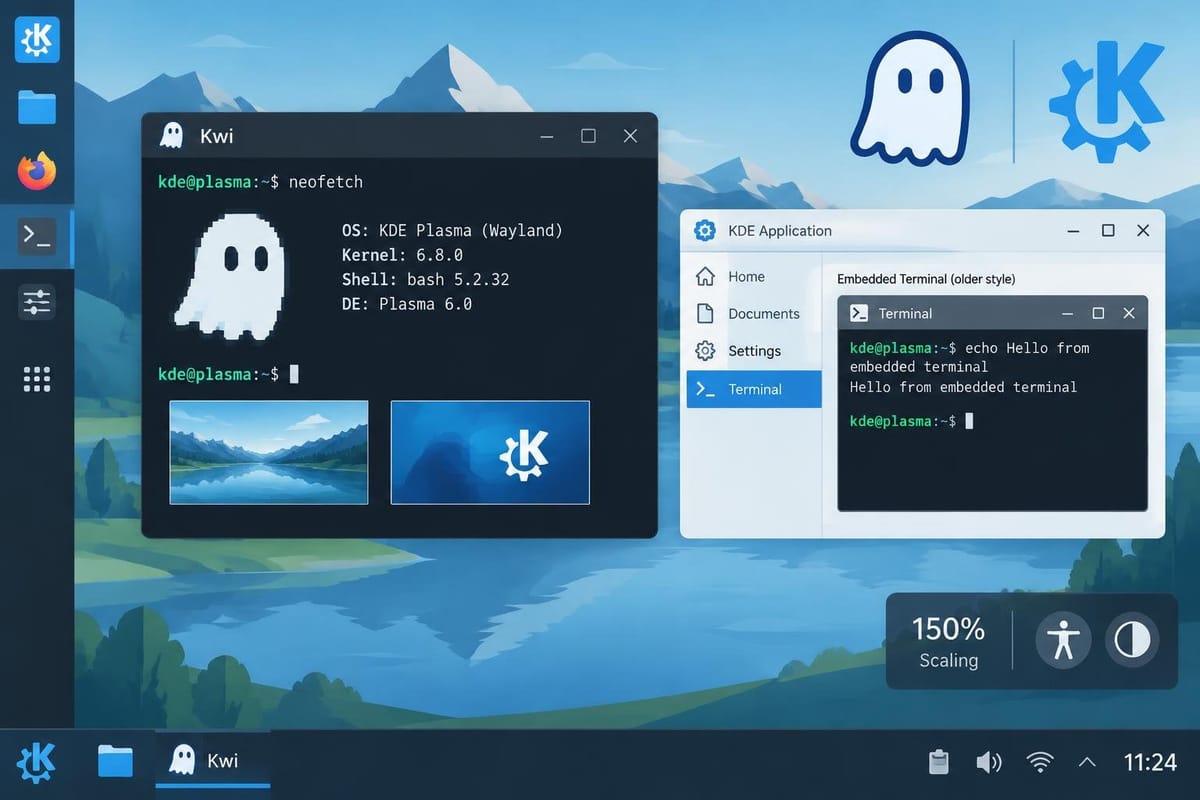
KDE’s new terminal project, Kwi, is not being framed as a flashy replacement for Konsole so much as an architectural reset: a KDE-native terminal built on Qt Quick, GPU rendering, and Ghostty’s terminal library that aims to close gaps in accessibility, Wayland scaling, protocol support, and embeddability.
Eike Hein, who announced the project on KDE’s blog on Nov. 1, described Kwi as “an experiment and a proposal,” not a statement that KDE is abandoning Konsole. He also said the project is still early enough that it does not yet have a tagged v0.1.0, and that users should expect “obvious and immediate bugs.” Kwi can already be tried through KDE’s nightly Flatpak builds, but it is not yet a finished desktop replacement. Source: https://blogs.kde.org/2026/11/01/introducing-kwi/
The practical question for Linux users is whether Kwi solves problems that mature terminals still leave awkwardly handled. KDE’s answer is yes — but mostly in the places where terminal emulators have to mesh with modern desktop software rather than just display text.
What Kwi is trying to fix
The most concrete complaint in KDE’s announcement is that Konsole sits on an older UI stack. Hein says Konsole is tied to QWidget, while newer KDE apps and Plasma itself are generally built with Qt Quick. That matters because Kwi is built around Qt Quick, the Qt Scene Graph, and GPU rendering through Vulkan or OpenGL. KDE’s pitch is not just that this looks more modern; it is that the stack better matches the rest of Plasma and can help on performance and battery life.
KDE says Kwi’s renderer is GPU-accelerated and that, depending on the benchmark, it can be 3x to 35x faster than Konsole. Hein gives one example in the post: 870 fps in the DOOM-fire-zig benchmark versus 23 fps in Konsole on a test system. That is a project claim, not an independent measurement, but it explains what Kwi is chasing: not tiny incremental polish, but a much faster path for workloads that stress text rendering and terminal redraws. Source: https://blogs.kde.org/2026/11/01/introducing-kwi/
The same design choice also affects scaling. KDE says Kwi should handle Wayland fractional scaling more correctly and should track the system color scheme, including live changes, more cleanly than Konsole. In other words, Kwi is being built to feel native in a modern Plasma session rather than merely functional inside it. Source: https://blogs.kde.org/2026/11/01/introducing-kwi/
Why Ghostty’s library matters
Kwi is built on libghostty-vt, the terminal parsing and state library from the Ghostty project. That is a significant architectural decision because KDE says it is trying to move the complex terminal-specific logic out of the application and into a reusable library layer. Hein argues that Konsole can support modern features, but that its older codebase makes complete implementations harder than they should be.
Kwi’s library split is aimed at two things at once:
- a terminal that can keep up with newer TUI features, and
- a KDE terminal component that can be embedded in Qt Quick and Kirigami applications.
KDE says Konsole already has a KPart embeddable component used by QWidget-based apps such as Dolphin, Kate, and Yakuake, but that there is no equivalent for Qt Quick/Kirigami software. Kwi addresses that by exposing a public QML module that other KDE apps can import. That is the more consequential part of the project for KDE’s own platform work: it gives the desktop a terminal component that fits the toolkit KDE is using for newer applications. Source: https://blogs.kde.org/2026/11/01/introducing-kwi/
That architectural choice also explains one of the stranger user-interface details in Konsole. Hein says Konsole’s own main application is not a consumer of its KPart, which leads to differences between the standalone app and embedded uses like Yakuake. Kwi avoids that split because the application itself is built around the same public QML module it exposes to others. That means the settings users see in the app should match the settings available to embedding apps.
The concrete feature list is about modern terminal workflows
KDE’s announcement is unusually specific about the terminal protocols and workflows Kwi is targeting. The list includes support for Kitty image handling, Kitty animation, Kitty mouse cursor shape, Kitty keyboard protocol, Kitty/OSC 5522 and OSC 1337 clipboard handling, OSC 9;4 progress reporting, CSI 996 / mode 2031 color queries and updates, and more complete support for Powerline symbols, ligatures, and Unicode placeholder images. Source: https://blogs.kde.org/2026/11/01/introducing-kwi/
Those details matter because they show Kwi is not just chasing a cosmetic refresh. It is aiming at the kinds of things developers and admins notice in daily terminal work:
- TUI apps that depend on newer protocol support
- clipboard and image transfer inside terminal workflows
- better treatment of ligatures and symbol-heavy prompts
- fewer rendering glitches under fractional scaling
- better accessibility hooks for screen readers
KDE says Kwi also improves text extraction for screen readers, mouse and query support for accessibility tools, and access to actions from assistive technologies. That is one of the clearest areas where the project claims a substantive fix rather than a new coat of paint. Traditional terminal UX discussions often center on speed and color themes; Kwi is explicitly trying to make the terminal more usable with accessibility software, which remains a weak spot in many tools.
How it compares with Konsole, Ghostty, Kitty, WezTerm and Warp
Kwi’s announcement positions it less as a direct clone of one terminal and more as a KDE-specific answer to a broader shift in terminal design.
Konsole remains the obvious comparison point because Kwi is meant to live in the same desktop ecosystem. KDE’s own explanation says Konsole is mature and well maintained, but that some newer features are hard to implement thoroughly in its older codebase. The project’s examples are telling: Konsole supports Kitty images, but KDE says the implementation is not fast or complete enough for reliable use, leading to odd placement or low-resolution image display. Source: https://blogs.kde.org/2026/11/01/introducing-kwi/
Ghostty is the technical upstream influence. Kwi uses Ghostty’s libghostty-vt, but KDE is not trying to ship Ghostty itself. Ghostty is the low-level terminal engine; Kwi is the KDE front end and integration layer. That distinction matters if you are asking whether Kwi is “just Ghostty in KDE clothes.” It is not. Kwi is trying to marry a separate terminal core to KDE’s rendering, theming, accessibility, and embeddability goals.
Kitty is relevant because so much of Kwi’s protocol checklist is about Kitty-compatible features. But KDE’s emphasis is not on matching Kitty’s tiling or configuration philosophy. It is on importing the protocol support that modern terminal-driven workflows now expect.
WezTerm and Warp are part of the broader trend toward GPU-accelerated, feature-rich terminals with modern UI layers. Kwi’s novelty is that it is trying to do that in the KDE stack, with KDE UI conventions and a reusable QML module, rather than as a standalone cross-desktop terminal product.
The result is that Kwi reads less like “another terminal emulator” and more like KDE’s attempt to make terminal support a first-class platform primitive again.
The main limitation: this is still early software
The biggest caveat is that Kwi’s announcement is aspirational in places where users will care most. KDE says the project is very new, not yet v0.1.0, and only lightly tested. The post also says some fresh dependencies may not yet be available in every distribution, though KDE’s CI is already producing Flatpak nightlies. Source: https://blogs.kde.org/2026/11/01/introducing-kwi/
So the practical answer to whether this changes how Linux developers and admins pick a terminal is: not yet. At the moment, Kwi sounds more like a promising KDE infrastructure project than a proven daily driver. For users who mainly want a stable terminal today, Konsole remains the default KDE choice, and Ghostty, Kitty or WezTerm remain the more established options for people prioritizing speed or protocol breadth.
What Kwi does change is the shape of the conversation. KDE is no longer treating the terminal as a legacy window that just has to work. It is treating the terminal as something that should fit the rest of the desktop stack: GPU-rendered, accessible, embeddable, protocol-rich and consistent across app and shell integrations.
That is a more ambitious goal than a theme refresh, and it is the part of Kwi that is most likely to matter if the project survives long enough to mature.
Comments ()